
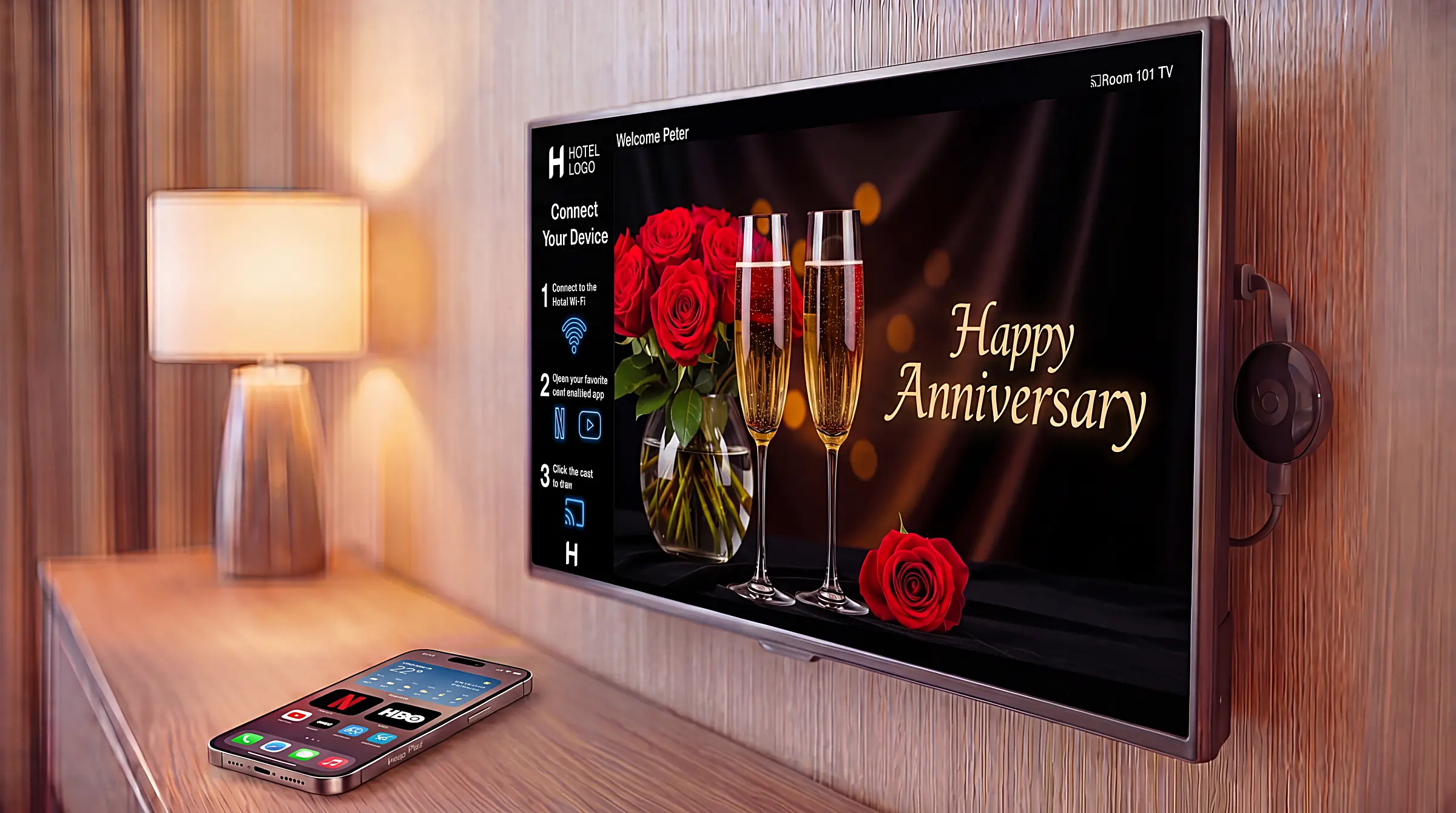
Chromecast in hotels: keep it, protect it, or replace it — the 2026 decision
Most hotels with Chromecast in their guest rooms bought those devices three to seven years ago for one job: let guests cast Netflix and YouTube from their phones to the room TV. Many of those Chromecasts are still running today. They are remarkably durable little devices, and replacing them is not always the right move — sometimes the right move is to keep them and protect them properly.
This article works through the practical question every hotel with an existing Chromecast deployment will face in 2026: which Chromecast model do you actually have, what can each model still do, when does it deserve replacement, and if you are replacing, what are the alternatives that work for a hotel today. It is the third article in our eight-part guide to hotel in-room entertainment, written for IT managers, engineering managers, GMs and owners making practical refresh decisions.
Article 1 of this series explained why a modern hotel smart TV is architecturally a small computer with a display attached. Article 2 explained why the people qualified to manage a small computer are not the same people who manage a TV. This article narrows from those reframes to a specific operational question: what to do with the casting hardware you already have, and how to choose the right replacement when replacement is the answer.
If you are looking at the Chromecasts in your guest rooms and wondering what to do with them, you are probably one of two readers. Either your Chromecasts are working fine and you are wondering whether you should still be running them in 2026, or one of them just broke and you want to know what to put in its place. Both questions are answered below.
Why did so many hotels buy Chromecast in the first place?
Because for several years, Chromecast was the only practical answer to the "let guests cast Netflix from their phone" question that did not require ripping out the TV. It plugged into the HDMI port, connected to the property's Wi-Fi, and worked. The price was low, the installation took a few minutes, and the device was small enough to hide behind the TV. Most hotels who bought Chromecast in 2017, 2018, 2019 or 2020 were not making a strategic platform decision — they were solving a specific guest-experience gap with the only tool available at the time.
That decision has aged well in one respect and badly in another. It has aged well because the devices themselves are remarkably durable. Chromecast hardware is simple, draws very little power, and has no moving parts. Properties that bought a hundred of them five years ago typically still have most of those hundred working today. Many hotels reading this article still have a working Chromecast fleet they have nearly forgotten about, quietly doing the casting job that was originally specified for it.
It has aged less well in two respects. The first is that the Chromecast family split into two functionally different product lines a few years after most hotels deployed, and many hoteliers do not realise which version they bought. The second is that the casting question expanded for hotels over the same period. A Chromecast that delivers guest casting cleanly does nothing for the rest of the in-room entertainment experience — the welcome screen, the room service ordering, the spa booking, the property-branded interface. Hotels that originally bought Chromecast for the casting question alone now want more from the device in the AV cabinet than the device was ever designed to deliver.
Both points are answered below. First, the question of which device you have.
How do I tell which Chromecast generation we have in our AV cabinet?
By colour. Google has separated the Chromecast line into two functionally different families that are easy to tell apart at a glance: black devices in the cast-only family — the 2nd-generation Chromecast, the 3rd-generation Chromecast, and the Chromecast Ultra — and white devices in the IPTV-capable family — the Chromecast with Google TV, and its successor the Google TV Streamer. White devices ship with a remote control in the box; black devices do not. That single colour-plus-remote check is sufficient identification for an entire AV cabinet without plugging anything in.
Within the black family, the three devices look very similar physically — small, dark, round or oval HDMI dongles attached to the TV by a short captive cable, with no remote and no on-screen menu beyond an ambient wallpaper. The 2nd-generation Chromecast was released in 2015 and is slightly less powerful than the 3rd-generation; the 3rd-generation Chromecast was released in October 2018; the Chromecast Ultra was released in 2016 and is the most powerful of the three, with 4K resolution support. All three are casting receivers, not computing platforms. They do not run apps locally, they do not host on-screen interfaces, they do not have meaningful storage. They were designed to do one job — receive a cast from a guest device and put the content on the screen — and they continue to do that job in 2026.
The white family is a different category of device. The Chromecast with Google TV was released in September 2020 with 2 GB of RAM and 8 GB of storage, the full Google TV operating system, and app installation from the Google Play Store. The Google TV Streamer followed in August 2024 with 4 GB of RAM, 32 GB of storage, native Ethernet, a faster processor, and Matter+Thread support — the same Google TV platform with the hardware constraints relaxed. Both white devices ship with a small voice remote in the box, because the on-screen Google TV interface is the device's primary purpose. Casting is one feature; the on-screen experience is the rest.
In hotel-room procurement language: black devices are casting dongles, white devices are small Google TV set-top boxes. The colour-and-remote check is faster and more reliable than the alternative of plugging each device into a TV to see what appears on the screen. For a property doing a quick fleet inventory, walking the AV cabinets with a torch is enough.
What can the black-line Chromecasts do for a hotel today?
What they were designed for — receive Google Cast from a guest device and deliver that content to the room TV. The three black-line devices (2nd-generation Chromecast, 3rd-generation Chromecast, Chromecast Ultra) share the same essential job. The 3rd-generation Chromecast is the most common of the three in hotel deployments, the Chromecast Ultra adds 4K casting capability, and the 2nd-generation is slightly less powerful than the 3rd — but for hotel purposes they behave the same way. None of them runs hotel software locally, displays a property-branded interface, or integrates with a PMS. They are casting receivers, and on that scope they are still reliable in 2026.
For hotels who deployed any of these three devices in the 2015–2020 wave purely to enable guest casting from phones, they still do that job adequately. Most modern Android phones still support Google Cast natively. Most major streaming apps — Netflix, YouTube, Disney+, Prime Video, HBO Max, Spotify — still implement the cast protocol the black-line Chromecasts handle. A guest who joins the Wi-Fi, opens Netflix, and taps the cast icon will find that casting still works in a hotel room with a black-line Chromecast in the AV cabinet the way it worked when the device was new.
What none of the three delivers on its own is the hospitality layer — the set of capabilities that turn a casting receiver from a piece of consumer electronics into a managed hotel asset. This is where Nettify Cast sits, supplying four operational layers the hardware itself was never built to deliver, addressed here in the order properties typically need to fix them.
The first thing Nettify Cast addresses is the most visible problem on an unprotected hotel Chromecast deployment: guests can see Chromecasts in other guest rooms on their casting list. On a default Chromecast configuration, the casting list a guest sees on their phone shows every Chromecast on the same network — which on a hotel guest network often means dozens or hundreds. A guest in room 312 opens their phone, taps the cast icon, and sees the Chromecast in room 415 alongside their own — and can try to cast to it. With Nettify Cast in place, a guest's casting list shows one Chromecast: the one in their own room. The other rooms are not on the list.
The second layer is automatic guest pairing for that one device. Even with the casting list cleaned up to the room's own device, the default Chromecast experience still asks the guest to confirm the connection by name, and the device name on its own does not carry the room number reliably. Nettify Cast pairs each guest automatically with their own room's Chromecast based on Wi-Fi context, without QR codes or PINs, so the guest's phone connects to the right device without any naming or scanning step in between.
The third layer is the screen becoming a property surface rather than only a guest-content surface. With Nettify Cast in place, properties can display TV advertisements — for the spa, the restaurant, sponsor partners — and deliver TV messages to specific rooms or room blocks (a check-out reminder, an event notice, a welcome card). The Chromecast was originally designed as a one-way device — receive a cast, display it on the screen. Nettify Cast turns the same hardware into a two-way property surface for both guest entertainment and property communication.
The fourth layer is fleet visibility and troubleshooting. Chromecast devices are configured locally on their own; there is no central management surface, no built-in way to see which device is online and which is offline, no per-device Wi-Fi signal level for troubleshooting. Nettify Cast supplies all three. Staff see which devices are online property-wide and what the Wi-Fi signal strength is at each one — the latter being one of the most useful pieces of information when a guest reports that casting is slow or failing, because Wi-Fi signal is the most common root cause and the hardest one to diagnose without per-device visibility.
Properties running Chromecast Ultras and 2nd-generation Chromecasts receive the same four layers — Nettify Cast does not distinguish between the three black-line devices for management or pairing purposes. The hardware does what it does; Nettify Cast supplies the hospitality layer that none of the black-line devices were built to provide.
What can the white-line Chromecasts do — and what changed in 2024?
The white-line family is a different category of device from the black line — small Google TV set-top boxes rather than casting dongles. Two devices sit in this family in 2026: the Chromecast with Google TV, released in September 2020, and its successor the Google TV Streamer, released in August 2024. Both ship with a small voice remote in the box, both run the full Google TV operating system, and both support app installation from the Google Play Store. Casting is one of the things they do; the on-screen Google TV interface is the rest.
The Chromecast with Google TV is the device most properties have in mind when they refer to a "Chromecast that can do more than cast." With 2 GB of RAM and 8 GB of storage, it has enough computing headroom to run an operating system, install apps, and host a hotel software experience on the screen. The Google TV interface that boots when you plug it in is not a fallback for when casting is unavailable — it is the device's primary purpose, and casting is one of the things the device happens to support well.
For hotels, the interesting question about the Chromecast with Google TV is whether it can run a full hospitality IPTV system, not just receive casts. In practice the answer is "yes, but only some of them." Lighter hospitality IPTV stacks fit comfortably within 2 GB of RAM and 8 GB of storage; heavier ones do not, and tend to show their strain through slow welcome screens, sluggish menu navigation, or unexpected restarts during peak guest evenings. The device's specification window matters here: 2 GB is enough for a clean, well-built IPTV app to run smoothly; it is not enough for an IPTV app that loads everything from the network on every navigation and caches little.
This is where Nettify IPTVcast becomes relevant. IPTVcast is designed to run within the Chromecast with Google TV's hardware envelope. The welcome screen, the room ordering interface, the channel grid, the language selection, the guest interaction surfaces — all of these are sized to run on the device's available memory and storage without complaint, and they have been tested on the Chromecast with Google TV across thousands of hotel rooms. For hotels who already have Chromecasts with Google TV in their AV cabinets and want a hospitality IPTV experience on top, the device is capable and the software exists to take advantage of it.
In August 2024 Google released the Google TV Streamer, which is the explicit successor to the Chromecast with Google TV. The Streamer is essentially the Chromecast with Google TV with the constraints relaxed: 4 GB of RAM rather than 2 GB, 32 GB of storage rather than 8 GB, a 22% faster processor, a wired Ethernet port (the Chromecast with Google TV is Wi-Fi only), and support for the Matter and Thread smart-home standards. For hotel deployment, the practical implication is more headroom for IPTV software, more reliable network connectivity, and longer expected useful life. The device is still a Google TV box in the same product family; it is not a different operating system or a different ecosystem. It is the same thing, with the constraints lifted.
We will come back to the Streamer in the cost comparison below, because pricing is where the Streamer story becomes interesting for hotels.
When should you keep your Chromecasts running, and when is replacement the right call?
The decision is pragmatic. Keep what works, replace what does not, and protect what you keep. The keep-or-replace question splits by device family, by what the property wants to do with the AV cabinet, and by what kind of TV the AV cabinet is wired to. Three "keep" paths exist, and one "replace" path — most properties end up with a mixture.
Keep your Chromecasts running, casting only, when:
- The devices are working, guests are casting successfully, and the property's in-room entertainment ambition stops at "guests can cast Netflix from their phones." A working 2nd-generation Chromecast, 3rd-generation Chromecast or Chromecast Ultra is a working casting receiver in 2026, and a hotel with that scope of ambition does not need to spend money replacing devices that still do their job
Keep your Chromecasts running, and add hospitality IPTV on the TV itself, when:
- The property wants a full hospitality IPTV experience (welcome screen, room ordering, channel grid, PMS integration) but does not want to throw away the casting devices already deployed. This works when the room TV is itself capable of hosting hospitality IPTV software directly — meaning a Google TV-based television, a Samsung hospitality Tizen television, or an LG hospitality webOS television — and the TV is not more than about seven years old (after which the panel's own software platform starts to age out). Nettify IPTVcast runs natively on Google TV, on hospitality Tizen and on hospitality webOS, so the TV itself becomes the hospitality endpoint. The black-line Chromecast keeps its job — receive guest casts — and the TV takes on the IPTV job. No box replacement required, and no compromise on the IPTV experience because the panel has comfortably more capability than the Chromecast itself
Keep your Chromecasts running, with hospitality IPTV on the device, when:
- The devices are Chromecasts with Google TV (the white-line generation, 2 GB RAM, 8 GB storage) and the property wants the IPTV experience to live on the casting device rather than the panel. With software designed to run on the device's hardware envelope — Nettify IPTVcast is built for this — the Chromecast with Google TV is a perfectly capable hospitality endpoint. The TV does not need to be hospitality-grade; the box on the back of the TV handles both jobs
Replace your Chromecasts when:
- The property wants full hospitality IPTV in rooms where the existing Chromecast is black-line (2nd-generation, 3rd-generation or Ultra), and the room TV is not capable of hosting IPTV software directly (it is not Google TV, not hospitality Tizen, not hospitality webOS, or it is more than about seven years old). Without a TV-side path the casting device itself has to take the IPTV job, which only the Chromecast with Google TV — or its successor the Google TV Streamer — can do
- The property wants premium future-proofing: Ethernet connectivity for AV cabinets near the network closet, more RAM headroom for the in-room software stack in 2027 and 2028, longer expected operational life. The Google TV Streamer is the natural upgrade target here, and Section 6 below covers the cost trade-off
- The property is changing TVs as part of a broader refresh, and the new TVs have native casting built into the panel. In that case the dedicated Chromecast device often becomes redundant, and the right move is to retire it during the TV swap
Protect the Chromecasts you decide to keep
For any property whose decision is "keep what works," two operational risks deserve attention: theft and the factory reset button. Around 3% of unprotected Chromecast devices go missing from hotel rooms each year — annoying but bounded. The factory reset risk is worse, because it is invisible until it happens. A guest who presses the reset button on the side of the Chromecast wipes the device's hospitality configuration in two seconds, and the room's casting goes down until engineering visits, reconfigures, and brings it back online. While that is happening, the room either runs without casting or — for properties whose hospitality IPTV depends on the Chromecast — runs without in-room entertainment entirely. If the room cannot be sold during that window, the revenue loss from one night exceeds the cost of the device several times over.
Nettify Chromecast Lock is the protective layer that addresses both risks. It is an anti-theft and anti-reset enclosure designed specifically for hotel Chromecast deployment. It blocks the factory reset button, so a guest cannot reset the device by accident or on purpose, and it secures the device to the TV's VESA mount or bracket with a stainless steel strap, so removal needs tools guests do not carry. It uses an open-frame design rather than a sealed plastic case: sealed cases trap heat, which makes the Chromecast throttle and shortens its life. Two SKUs cover every Chromecast still in active hotel deployment — one for the black-line cast-only family (2nd-generation, 3rd-generation and Chromecast Ultra) and one for the white-line Chromecast with Google TV (HD and 4K). Nettify can ship Chromecasts with the Lock pre-installed for new deployments; properties retrofitting their existing fleet fit the Lock in-room with a basic tool kit. For hotels keeping any portion of their Chromecast fleet, protection at this layer is the difference between a fleet that quietly does its job and a fleet that produces engineering tickets and revenue losses on an ongoing basis.
What is actually in your AV cabinet?
Most hotels with Chromecast deployments do not know which generation sits in each room, which devices can host hospitality IPTV software, and which ones are operating at risk of theft or factory reset. A 30-minute Chromecast and AV cabinet audit gives you the inventory and the recommendation in writing — keep, protect, upgrade, or replace — by room.
What does the Google TV Streamer cost compared with a Google-certified set-top box?
This is where the keep-or-replace decision starts to interact with budget reality, because the Google TV Streamer is hardware-wise the natural Chromecast successor, but it is not the cheapest option in its category. The Streamer's MSRP is $99 in the United States, and it has been promotionally available at $80 on a recurring basis since launch. For hotel procurement at scale, $80 to $99 per room is the planning range.
For comparison, Article 1 in this series documented Google-certified set-top box pricing in our procurement region rising from approximately $54 per unit to approximately $79 per unit over the past six months, with further memory-chip-driven pricing pressure expected through 2026 and 2027. That puts a typical Google-certified STB at roughly $54–79 per room — meaningfully below the Google TV Streamer's $80–99 range.
The two devices are not identical in capability. A typical Google-certified STB has approximately 2 GB of RAM and a more modest processor than the Google TV Streamer's 4 GB of RAM, 32 GB of storage, and faster CPU. Ethernet connectivity on STBs is split roughly evenly across the market — around half the available models ship with an Ethernet port, around half are Wi-Fi only — so a property that needs Ethernet for an AV cabinet near the network closet should specify it during procurement rather than assume it. The Streamer ships with Ethernet on every unit, plus Matter+Thread smart-home support which a typical STB does not include.
Where the specification difference matters most is over the lifetime of the device. Article 1 established the operational rule that smart-TV-class device lifespan is governed by RAM: 1.5 GB supports a 4–6 year operational life, 2 GB supports the standard hospitality life, and each additional gigabyte of RAM adds approximately two years before the device's hardware can no longer keep up with its software. Applied to this comparison, a typical 2 GB Google-certified STB has roughly a 4–6 year operational window; the 4 GB Google TV Streamer has roughly an 8–10 year window, subject to Google maintaining its support cadence — close to double the useful life. Over a five-year ownership period, a property that pays roughly 25% more per unit for the Streamer also avoids one full replacement cycle on those rooms. Over a longer horizon, the Streamer's specification advantage compounds.
A second longevity point worth flagging, and it is a real one: Google has a track record of supporting its streaming hardware well past the official end-of-sale, and the 2nd-generation Chromecast is the clearest precedent. The 2nd-generation Chromecast was discontinued in 2019, and Google was still issuing firmware updates for it as recently as March 2025 — roughly six years of post-retirement support, the March 2025 release fixing within days a certificate failure that had briefly broken casting on the device. Google could have left the affected devices bricked at end-of-life; the fact that they shipped a fix instead is the point. The 3rd-generation Chromecast was discontinued in September 2022 when the Chromecast with Google TV (HD) launched as its successor, and has continued to receive critical security updates ever since — almost four years of post-retirement support, into 2026 and counting. The broader Chromecast product line ended in August 2024, but Google has continued maintaining the devices already in customer hands. For a hotel weighing per-unit price against per-unit life expectancy, this matters: the Streamer is a better device today and a device with longer support runway tomorrow, in an ecosystem with a documented pattern of supporting retired hardware for years, sometimes the better part of a decade, rather than abandoning it at end-of-sale.
In practice, the choice between the Google-certified STB and the Google TV Streamer depends on what the property is optimising for. If per-unit price across hundreds or thousands of rooms is the dominant constraint, the Google-certified STB is the right answer. If long-term operational life and future headroom matter more than the immediate per-unit difference, the Google TV Streamer is the right answer. Both run Google TV, both support Google Cast, and Nettify IPTVcast turns either into a hospitality endpoint — the operating system and the hospitality software are the same on both paths. The choice is between two implementations of the same platform at different price and capability points.
If you are replacing, what are the best alternatives — and how do you choose?
For hotels who have decided that replacement is the right move, the choice opens up beyond the Chromecast family. There are five legitimate replacement paths, each appropriate for a different procurement situation:
Google TV Streamer. The premium box-on-the-back-of-the-TV option. Best for hotels who want the longest device life, the most future headroom, and reliable Ethernet connectivity, and are replacing a manageable number of devices where the per-unit price difference against a Google-certified STB is acceptable. Hardware-wise, this is the closest you can buy to "the same device you had, but better." Nettify IPTVcast installs on the Streamer to make it a hospitality endpoint.
Google-certified set-top box. The cost-efficient box-on-the-back-of-the-TV option. Best for hotels replacing many devices at once, where per-unit price across hundreds or thousands of rooms is the dominant constraint. Article 1 in this series covers Google certification as a procurement requirement in detail; the short version is that certification means the device receives Google Play Store updates over its life, which is what keeps streaming apps like Netflix, YouTube, Disney+ and Prime Video working as those apps evolve. Cheap non-certified Android boxes save twenty dollars upfront and break overnight when a major streaming app pushes an update incompatible with the frozen device. Specify Google certification in writing during procurement. There is no hospitality-specific category of Google-certified STB — these are general-purpose Google TV boxes. Nettify IPTVcast installs on the box to make it a hospitality endpoint at the lowest per-unit price point in the category.
Google TV television. No box on the back of the TV at all — the Google TV operating system runs natively on the panel itself. Many manufacturers ship Google TV televisions, including Sony, TCL, Sharp, Hisense, Panasonic, Xiaomi and others. For hotels who are refreshing TVs anyway, this path eliminates the separate Chromecast or STB device entirely. The casting question is answered by the panel; the device count in the AV cabinet drops to zero. Nettify IPTVcast installs on the panel to turn it into a hospitality endpoint. Best for properties already planning a TV refresh.
Samsung hospitality Tizen television. Samsung's hospitality TVs run hospitality Tizen and, on the latest generations (HBU8000 series and the 2025 HU8000F), support both Google Cast and Apple AirPlay natively. No separate casting device required. Best for properties standardising on Samsung as the panel manufacturer; the casting question becomes a panel question.
LG hospitality webOS television. LG's hospitality TVs run hospitality webOS (Pro:Centric Smart). LG was the first hospitality manufacturer to support Apple AirPlay on its hospitality range, and Google Cast came to LG hospitality TVs through a firmware rollout that extended through 2024 and 2025 across the existing fleet. Best for properties standardising on LG as the panel manufacturer; again, the casting question becomes a panel question.
The decision tree is simpler than it looks. If the property is also refreshing TVs, eliminate the separate casting device entirely and let the panel handle casting — Google TV, hospitality Tizen or hospitality webOS, whichever fits the panel preference. If the property is keeping the existing TVs and only replacing the casting device, decide between the Google TV Streamer (premium) and a Google-certified STB (cost-efficient) based on per-unit budget and how much hardware headroom matters for the property's three-year-ahead software ambitions.
What does not belong in this list, despite occasional vendor pitches: cheap non-certified Android streaming boxes, consumer Fire TV sticks, consumer Roku sticks, and other consumer-aimed streaming hardware. Article 1 covers in detail why each of these is the wrong choice for hotel deployment; for A3's purposes, treat them as not part of the procurement set.
How do you migrate without breaking guest casting overnight?
The honest answer is that you do not migrate the whole property in one weekend, because doing so increases the risk of breaking something that is currently working. Phased migration takes longer in elapsed time but is meaningfully safer in delivered guest experience.
The pattern that works for hotels of any size is room-block-by-room-block. Pick a small block — a single floor, a single room category, a single wing — and migrate that block first. Validate that guest casting still works, that the new IPTV experience (if introducing one) functions as expected, that the room is fully sellable. Then move to the next block. The right block size depends on two factors: the property's risk tolerance and engineering capacity, and the property's current occupancy rate. A property running at 90% occupancy needs smaller blocks than a property running at 50%, because the engineering team has less margin to absorb a migration mistake when most of the rooms in the property need to remain sellable. Ten rooms is conservative, fifty is typical, a hundred is aggressive — and those numbers compress when occupancy is high.
During the migration window, both the old Chromecast-based experience and the new replacement should run side by side across the property. Do not strand guests in rooms with broken casting. If a room is being migrated and the migration takes more than the room's occupancy gap allows, defer that room's migration to the next departure. A migration that takes two extra weeks because it respects guest occupancy is better than a migration that strands guests in transition rooms because the schedule was prioritised over the experience.
One operational note: if the property is moving from a Chromecast-only deployment to a deployment that includes hospitality IPTV, the welcome-screen and PMS-integration work happens on the IPTV layer, not on the casting layer. Casting continues to be the cast-from-phone experience guests already know; IPTV adds the welcome screen, the room ordering, the channel grid, the messaging surfaces. Both can run on the same device (a Chromecast with Google TV, a Google TV Streamer, or a Google-certified STB) or on different surfaces (casting on the existing Chromecast, IPTV on the TV itself when the TV supports it), depending on the path the property has chosen. Plan the rollout so that both layers go live for any given room at the same time, rather than rolling out casting one week and IPTV the next.
Continue your journey
The Chromecast decision is one of eight strategic decisions hotels face when modernising in-room entertainment. The full series develops the trap framework introduced in Article 1, with dedicated articles covering streaming and casting failure modes, IPTV reliability, vendor consolidation, and revenue generation. Return to the hub to navigate to the article that matches your next decision.
Continue exploring the full series →
← Back to the full series: Hotel In-Room Entertainment in 2026
Validate your current setup before your next decision
If you are evaluating your Chromecast deployment and want a written assessment of your existing fleet — which generation is in each room, which devices can host hospitality IPTV software, which need physical protection, and which need replacement — Nettify can run that audit. The output is a written, prioritised recommendation by room, not a sales pitch. Sometimes the recommendation is "keep what you have and add Chromecast Lock"; sometimes it is "replace these twenty rooms first and leave the rest until next budget cycle"; sometimes it is "your AV cabinet hardware is fine, but your casting management layer needs work." We tell you what we find.
Frequently asked questions
What can replace a Chromecast in a hotel room?
The five legitimate replacement paths for a hotel Chromecast in 2026 are the Google TV Streamer (premium box, $80–99 per unit), a Google-certified set-top box ($54–79 per unit), a Google TV television (TCL, Sony, Sharp, Hisense, Panasonic, Xiaomi and others), a Samsung hospitality Tizen television (HBU8000 series and newer), or an LG hospitality webOS television (Pro:Centric Smart). Nettify IPTVcast installs on the Google TV options to turn them into hospitality endpoints; the Samsung and LG hospitality TVs are already hospitality-grade by virtue of their hospitality Tizen and hospitality webOS variants. For hotels also refreshing TVs, eliminating the separate casting device and using a TV with native casting is usually the cleanest path. For hotels keeping their existing TVs, the choice between the Google TV Streamer and a Google-certified STB depends on per-unit budget and the value placed on long-term operational life.
What is the best Chromecast solution for a hotel?
There is no single best answer, because the right choice depends on three things about your property.
First, which Chromecast generation you are running. The older black-line Chromecast devices and the newer white-line generation differ in how long they will keep receiving updates, and that changes whether keeping them is sensible or simply deferring a cost you will pay later.
Second, how many rooms are involved. At small scale, the per-unit price tends to dominate the decision. At larger scale, the staff time spent managing devices usually matters more than what the hardware costs.
Third, and most important, whether you are replacing the televisions anyway. If you are, the cleanest answer is usually a television with casting built in, because it removes a separate device from every room. If you are not, the real question is which box goes behind the televisions you already own.
The short version: hotels keeping their existing televisions generally choose between the Google TV Streamer and a Google-certified set-top box; hotels replacing their televisions generally stop buying separate casting devices altogether.
Why do hotels block Chromecast?
Because a consumer Chromecast was never built for a shared guest network. On a default setup, the casting list a guest sees on their phone shows every Chromecast on the same network, which on a hotel can mean dozens or hundreds of devices, so a guest in one room can see and cast to the TV in another room. That is a privacy and support problem hotels cannot leave open, so many simply block casting rather than risk it. The better answer is not to block it but to manage it: a hospitality casting layer shows each guest only their own room device, pairs them to it automatically, and needs no QR codes or PINs. Nettify Cast supplies exactly that layer on top of the hardware.
Can I still use a Chromecast in a hotel in 2026?
Yes. The 2nd-generation Chromecast, 3rd-generation Chromecast, Chromecast Ultra and Chromecast with Google TV all remain functional hotel devices in 2026, with different capability windows. The black-line family (2nd-generation, 3rd-generation, Chromecast Ultra) handles guest casting reliably and is still functioning across thousands of hotel rooms; the Chromecast Ultra additionally supports 4K casting. The Chromecast with Google TV (the white-line device with the remote) adds 2 GB of RAM and 8 GB of storage on top of casting, which means it can host hospitality IPTV stacks designed to fit within those constraints — Nettify IPTVcast is built for it. All of these devices are durable; many hotel fleets deployed five or more years ago are still operating, and Google has continued to support them with firmware updates years after the products were discontinued.
How do I tell which generation of Chromecast my hotel is running?
By colour. Google has split the Chromecast line into two functionally different families that are easy to tell apart at a glance: black devices are the cast-only family — 2nd-generation Chromecast (2015), 3rd-generation Chromecast (October 2018) and Chromecast Ultra (2016). White devices are the IPTV-capable family — Chromecast with Google TV (September 2020) and its successor Google TV Streamer (August 2024). White devices ship with a remote control in the box; black devices do not. The colour-plus-remote check is sufficient to identify the entire AV cabinet without plugging anything in.
What is the difference between the Chromecast with Google TV and the Google TV Streamer?
The Google TV Streamer is the explicit successor to the Chromecast with Google TV, released in August 2024. It runs the same Google TV operating system and supports the same Google Cast protocol, but the hardware constraints are relaxed: 4 GB of RAM rather than 2 GB, 32 GB of storage rather than 8 GB, a 22% faster processor, native Ethernet (the Chromecast with Google TV is Wi-Fi only), and Matter+Thread smart-home support. For hotel deployment, the Streamer is the better-performing device with more headroom for future software; for properties happy with the current Chromecast with Google TV, no immediate replacement is required.
What is the difference between a 3rd-generation Chromecast and a Chromecast with Google TV for a hotel?
The 3rd-generation Chromecast is a black-line, cast-only device: it receives a Google Cast from a guest's phone and puts it on the screen, but it runs no apps, has no on-screen menu, and cannot host hospitality IPTV. The Chromecast with Google TV is a white-line device — it ships with a remote, runs the full Google TV operating system on 2 GB of RAM and 8 GB of storage, and can host a hospitality IPTV experience (welcome screen, room ordering, channel grid) as well as casting. For a hotel, the practical difference is simple: a 3rd-generation Chromecast can only do guest casting, while a Chromecast with Google TV can run hospitality IPTV on the device itself. The quickest way to tell them apart is colour — the 3rd-generation is black with no remote; the Chromecast with Google TV is white with a remote in the box.
Should a hotel choose the Google TV Streamer or a Chromecast?
It depends on what the property is optimising for. If the question is whether to keep existing Chromecasts or move to the Google TV Streamer: keep a working black-line Chromecast when guest casting is all the room needs, and choose the Streamer when you want hospitality IPTV on the device itself, Ethernet connectivity, or the longest operational life — its 4 GB of RAM gives it roughly an 8–10 year window, close to double a 2 GB device, subject to Google maintaining its support cadence. If the question is the Streamer versus a Google-certified set-top box: the Streamer ($80–99 per unit) costs more than a typical certified STB ($54–79) but carries more RAM, native Ethernet and a longer life, while the certified STB is the right answer when per-unit price across many rooms is the dominant constraint. Both run Google TV, both support Google Cast, and Nettify IPTVcast turns either into a hospitality endpoint.
How much does the Google TV Streamer cost for hotels?
The Google TV Streamer's MSRP is $99 in the United States, and it has been promotionally available at $80 on a recurring basis since launch. For hotel procurement at scale, $80–99 per room is the planning range. This is meaningfully more than a Google-certified set-top box (approximately $54–79 per unit in the same period, typically with 2 GB of RAM versus the Streamer's 4 GB), but the Streamer has more RAM, more storage, native Ethernet and a faster processor, and roughly double the expected operational life per Article 1's RAM rule. The right choice depends on per-unit budget and the value placed on long-term life expectancy. Nettify IPTVcast installs on either device to make it a hospitality endpoint.
Will my Chromecast still work after Google stops supporting it?
Google has a long track record of supporting its streaming hardware well past the official end-of-sale, and the 2nd-generation Chromecast is the clearest illustration: discontinued in 2019, it received a firmware update as recently as March 2025 — roughly six years of post-retirement support, including a fix, issued within days, for a certificate failure that had briefly broken casting on the device. The 3rd-generation Chromecast was discontinued in September 2022 when the Chromecast with Google TV (HD) launched, and continues to receive critical security updates in 2026 — close to four years of post-retirement support and counting. The Chromecast with Google TV and the Google TV Streamer remain in active support with regular Google TV operating system updates, and streaming app updates that arrive through the Google Play Store continue to install on devices with Google certification. For the black-line family the Play Store is not a factor because they do not run apps locally; what matters is whether the casting protocol stays current on the guest's phone, which Google has maintained.
What is Chromecast Lock?
Chromecast Lock is a Nettify hardware product — an anti-theft and anti-reset enclosure designed specifically for Chromecast devices in hotel guest rooms. It uses an open-frame ventilated design to avoid the overheating problem that sealed plastic enclosures cause, secures the device to the TV's VESA mount or bracket with a stainless steel strap, and blocks the factory reset button so the device cannot be reset by a guest. It is available in two SKUs covering every Chromecast model in active hotel deployment. For hotels keeping their existing Chromecast fleets running, Chromecast Lock addresses the two operational risks (theft and accidental factory reset) without compromising the device's lifespan through overheating.
How often do hotel Chromecasts get stolen?
Approximately 3% per year for unprotected devices. The replacement cost of a stolen Chromecast is modest in itself ($50–90 per unit at consumer pricing); the larger cost is the operational disruption — engineering visits, configuration, the period during which the room runs without casting. Properties that protect their Chromecasts physically experience meaningfully lower theft rates.
What happens if a guest factory-resets a Chromecast?
The device loses its hospitality configuration, including its room association, its managed profile, and its connection to the casting management system. The room's casting service goes down until engineering visits the room and re-provisions the device, which typically takes 15–20 minutes per room. If the room cannot be sold during that window, the revenue loss from one night exceeds the cost of the device several times over. The factory reset risk is the operational reason for installing protective hardware on hotel Chromecasts; theft gets the attention but reset causes the larger damage.
Can I run hotel IPTV software on a Chromecast?
There are two paths to hospitality IPTV in a room with a Chromecast in the AV cabinet. Path one: install IPTV on the Chromecast itself. This works only with the Chromecast with Google TV (the white-line device, 2 GB RAM, 8 GB storage), and only with software designed for that hardware envelope — Nettify IPTVcast is built for it. Heavier IPTV stacks designed for more capable boxes tend to show their strain on the Chromecast with Google TV through slow welcome screens and unresponsive menus. Path two: install IPTV on the TV directly, leaving the existing Chromecast in place for casting. This works when the TV itself supports native IPTV installation — a Google TV-based television, a Samsung hospitality Tizen television, or an LG hospitality webOS television — and the TV is not more than about seven years old. On this path the Chromecast (2nd-generation, 3rd-generation, Ultra, or with Google TV) keeps its casting job, and the TV becomes the IPTV endpoint via Nettify IPTVcast installed on the panel. Hotels with black-line Chromecasts and a capable TV in the room can have full hospitality IPTV without replacing the Chromecast at all.
Should I replace all my Chromecasts at once or phase it?
Phase it. Migrating an entire property's casting hardware in a single weekend increases the risk of breaking experiences that are currently working. A room-block-by-room-block approach (one floor, one wing, one room category at a time) takes longer in elapsed time but is meaningfully safer for the delivered guest experience. During the migration window, both the old and new configurations should run side by side across the property, and rooms should only be migrated when their occupancy gap allows the work to complete cleanly. Properties keeping any Chromecasts during the transition should install Chromecast Lock during the migration moment, because engineering attention focused on the rooms being migrated is engineering attention not available to respond to a reset in a room that is not being migrated yet.
Do I need to replace a Chromecast that is still working?
No, not on the basis of age alone. A working Chromecast — either generation — is a working device, and replacement on the basis of "it is from 2018" is not a sufficient reason. The reasons to replace are functional: the property wants hospitality IPTV in rooms where the 3rd-generation Chromecast cannot host it; the property wants Ethernet connectivity or more RAM headroom for future software; the property is refreshing TVs and the new panels have native casting that makes the separate device redundant. If none of those apply, keep what works and protect it from theft and reset.